


Messaging platform has now become a crucial part of everyday communication, with millions of Indians using it to exchange personal messages, share documents, and conduct work-related conversations. However, a careless login or an active WhatsApp Web session left unattended could expose these private chats to cybercriminals.
The Centre recently issued an advisory warning users about the potential misuse of their sessions to gain unauthorised access to their accounts.
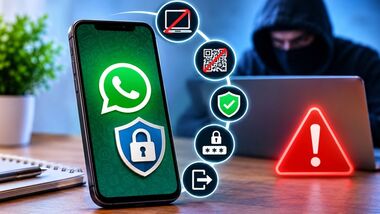
Citing Rahul Mishra, Cybersecurity Advisor, Uttar Pradesh Police, Dainik Bhaskar listed nine precautions that WhatsApp Web users should follow to protect their accounts from unauthorised access and potential cyberfraud. The advisory comes as the Ministry of Home Affairs (MHA) has advised users to be cautious and take certain measures to use WhatsApp Web safely.
Since people often tend to forget to log out of their WhatsApp Web sessions, they are advised to avoid accessing their accounts through computers in public places, including cyber cafes. Such systems may not have adequate security and could contain malicious software or programmes that record login details. If you must use a public computer, make sure you log out of your session before leaving.
Another precaution to keep in mind is to avoid linking your WhatsApp account to someone else’s or desktop, even if the person is known to you. An active WhatsApp Web session could allow someone using that computer to access your conversations and shared files. One must always use a personal, trusted device to access their WhatsApp account.
To access WhatsApp Web, users are required to scan QR codes to link their mobile accounts to a computer. This process can be misused by , who may trick users into scanning malicious or unauthorised QR codes, potentially linking their accounts to devices they do not control. Scan QR codes only when you have initiated the login process on a trusted computer.
If you find yourself in a situation where you have to access WhatsApp Web on a system that isn’t yours, suggest using the browser’s Incognito or Private Browsing mode. These modes can help prevent browsing history and some local session data from being saved after the window is closed. It is worth noting that Incognito Mode alone does not guarantee account security or prevent someone from accessing an active session. Always log out of WhatsApp Web after use.
Enabling on WhatsApp is a way to enhance the security of your account. This feature requires a PIN when registering your phone number with WhatsApp again, making it harder for someone to take over your account using your number alone. Do not share your PIN with anyone.
Keep checking the ‘Linked Devices’ section in WhatsApp settings to review all computers and browsers connected to your account. If you notice an unfamiliar device or a session you do not recognise, log out of it immediately. Regular checks can help you identify and disconnect unauthorised sessions.
Cybersecurity experts also recommend installing the latest for your laptop or desktop’s operating system and web browser. Software updates can include security fixes that address vulnerabilities which could otherwise be exploited by cybercriminals.
One must always be alert to unusual activity on their WhatsApp account, including messages being sent without their knowledge, unfamiliar linked devices or unexpected account notifications. Do not click on suspicious links or download unknown files received through messages. If you notice anything unusual, review your linked devices and secure your account immediately.
Logging out after every WhatsApp Web session is one of the most important precautions, particularly when using a shared or public computer. Simply closing the browser window may not end an active session. Open WhatsApp on your phone, go to ‘Linked Devices’, select the computer or browser you used, and tap ‘Log Out’ to disconnect it.
As WhatsApp continues to be an important platform for personal and professional communication, protecting account access has become increasingly important.