



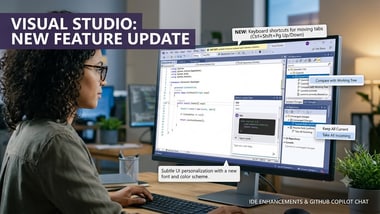
The flagship integrated development environment (IDE) of , , has been updated by the company with new features.
A number of improvements have been made to Visual Studio’s bundled Git integration. One can now review a commit against their working tree in order to compare their codes with an earlier version of the same. This can come in handy while refactoring operations. A user can right-click a commit in their Git Repository window and select the option Compare with Working Tree.
There is also the option of resolving merge conflicts in bulk simultaneously across multiple files. When one right clicks a selection of multiple it4ems in the Git Changes window under the Unmerged Changes option, one can select Keep All Current or Take All Incoming.
When it comes to the latest AI features, the latest update has introduced the GitHub Chat. This new feature brings the Copilot SDK foundation to the chat more, Agent mode, and Ask mode.
This new feature gives users the option to make use of more ‘capable’ agent workflows, which can handle end-to-end tasks with less back-and-forth.
It also offers consistent behavior across every Copilot surface and longer -running sessions with more effective prompt caching for better performance.
1. In Visual Studio, go to Tools → Options.
2. Go to GitHub → Copilot → Copilot Chat.
3. Check Use new Copilot chat experience.
4. Restart Visual Studio for the change to take effect.
Another very useful capability that has been added now to Visual Studio is Hot Exit. This feature can preserve the work that you do between sessions even if the same has not been saved by you. Although this option comes as disabled in default settings, you can turn it own by going to Tools > Options, expand All Settings > Projects and Solutions > General, from where you can select the option Reopen unsaved documents on solution load or empty environment.
One can now also move documents, tools, or tabs in the document well with the keyboard shortcuts Ctrl+Shift+Pg Up or Ctrl+Shift+Pg Down. The new update is also offering a new font and colour experience, which will help one personalise their IDE.