



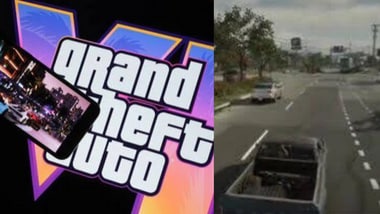
Grand Theft Auto VI has introduced an Auto-Drive feature that allows players to travel across Leonida without having to manually steer their vehicles. The feature can take control of a car and navigate towards a destination selected on the map, giving players the option to enjoy the game’s surroundings while Jason or Lucia handles the journey.
The feature is particularly useful for longer trips across and other parts of Leonida, where travelling between locations can take time. Auto-Drive is integrated into the game’s Cinematic Mode, which switches between different camera angles while the vehicle is moving.
According to gaming guides Beebom and GTA6.house, players can activate the feature by setting a waypoint, entering Cinematic Mode and using the appropriate controller button.
2. Get inside a vehicle and open the in-game map.
3. Select the destination and place a waypoint.
4. Start driving and hold the Down button on the D-pad to access the camera options.
5. Press the Options button on or Menu on Xbox to enter Cinematic Mode.
6. Once the Auto-Drive prompt appears, hold Circle on PlayStation or B on Xbox to activate the feature.
Once enabled, Jason or Lucia will automatically drive towards the selected destination. Players can also adjust the vehicle’s speed using L2 and R2 on PlayStation or LT and RT on Xbox.
To return to manual driving, players can exit Cinematic Mode using the Down button on the D-pad.
Auto-Drive allows players to hand over control of their vehicles to the game’s driving AI. Instead of continuously steering, accelerating and braking, players can let the character follow the route towards the selected waypoint.
The feature is designed to make longer journeys less demanding and allow players to experience the game’s cinematic driving sequences. The AI generally follows traffic rules and stops at traffic signals rather than driving recklessly.
However, Auto-Drive is not the same as fast travel. The vehicle still needs to cover the distance physically, meaning traffic congestion, road accidents and other obstacles can slow down the journey.
Yes. Auto-Drive is not restricted to cars and other road vehicles. According to GTA6.house and Games.gg, players can also use the feature while travelling in boats across Leonida’s waterways.
The process is similar to activating it in a car. Players need to get into a boat, mark a destination that can be reached through water, switch to Cinematic Mode and activate Auto-Drive using the controller.
The boat will then navigate towards the selected waypoint without requiring players to steer manually. However, there is one limitation: if the destination is on land, Auto-Drive will stop once the boat reaches the end of its navigable water route.
Not necessarily. The feature has certain limitations, particularly when players are involved in police pursuits or navigating difficult terrain.
As per Beebom, players can access the Auto Drive setting under Settings and Gameplay and switch it to ‘Unrestricted’ to make the feature available in more situations. However, the driving AI can still encounter obstacles or collide with other vehicles.
Auto-Drive is therefore best suited to relaxed journeys rather than situations that require quick reactions, precise manoeuvres or escaping police attention.
For players who want to explore and the wider Leonida map without constantly controlling the vehicle, Auto-Drive offers another way to experience the open-world environment. It does not eliminate travel time, but it gives players the freedom to sit back and enjoy the journey.