



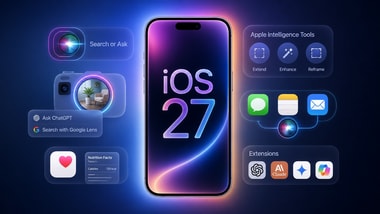
Apple will launch iOS 27 to compatible iPhone models worldwide today, 14 September. The update brings changes to Siri, the Liquid Glass interface, Visual Intelligence, and parental controls and comes after successful developer and public beta releases.
The company confirmed at its September event that the iPhone 18 Pro models and iPhone Duo will ship with iOS 27. Other iPhone users will be able to download the update via the Settings app once it becomes available for their device.
Apple has not yet announced a release time for. However, major iOS updates have begun in the past at approximately 10 am PT. In India, this would be around 10:30 pm IST on 14 September.
The update will be rolled out via an over-the-air (OTA) software update. Users need to back up their data and ensure that their iPhone is connected to power or has sufficient battery before installation.
Once the update is available, users can install it by following these steps:
Update availability may vary by device and region, so some users may be able to get this update later, Apple says.
Apple continues to support iPhone 11 and newer models, along with the second- and third-generation iPhone SE. The iPhone 18 Pro, iPhone 18 Pro Max and will run iOS 27 out of the box.
Supported models include:
One of the major improvements is a revamped Siri experience. Apple claims the new Siri is a “fusion” of its Foundation Models and Google’s Gemini models. It can retrieve information and perform actions using personal context in supported apps.
Visual intelligence is also being expanded. Users can have Siri explain which things and scenes are captured by the iPhone camera or interact with information that appears on the screen.
The Liquid Glass design, introduced in iOS 26, is now getting more customization options, including controls for the intensity of transparent interface elements.
There’s also a new iPhone Handoff feature for that lets a cellular line switch from one compatible iPhone to another. Both devices need iOS 27 and must use the same Apple ID.
During setup, Apple says consumers can set up the second iPhone in Settings > Cellular by tapping Add or transfer an eSIM. It can only be used while an iPhone is active. Calls, texts, voicemail and Find My location tracking follow the active device when iCloud data and third-party apps are synced.