


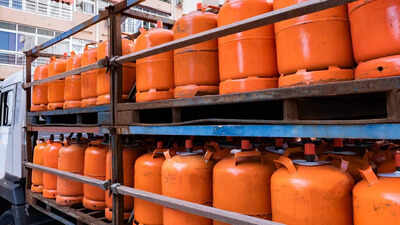
Indane LPG customers who are yet to update their details should know that linking Aadhaar with the LPG connection remains essential to ensure uninterrupted cylinder supply and continued receipt of Direct Benefit Transfer (DBT) subsidies. This process also helps in verifying identity, residential address, and ownership details accurately within the system. The eKYC can be completed online through official Indane platforms using a registered mobile number, making the update process accessible without visiting a distributor.Consumers should be aware that the Ministry of Petroleum and Natural Gas has clarified that eKYC is not required again for those who have already completed it, as the biometric Aadhaar authentication mandate applies only to unauthenticated users.
Israel Iran War
Understanding Indane LPG connections and the importance of KYC
Indane LPG gas connection is a facility offered by Indane, a brand of the Indian Oil Corporation (IOC), to its customers for their domestic or commercial use. The facility of an Indane gas connection allows the customers to obtain scheduled deliveries of LPG gas cylinders to their registered addresses. The facility of an Indane gas connection is directly linked to the identification and bank accounts of the customers, thus ensuring the safe use of the LPG gas facility with the benefits of government subsidies through DBT.
It is important to update your KYC with Indane, as it authenticates your identification, address, and bank accounts to ensure the continuous supply of gas cylinders.
Indane LPG KYC online: Step-by-step guide to update eKYC
The eKYC process can be completed using the Indane gas (IndianOil One) provider’s mobile application or the official My LPG website. (Important: Consumers need their Aadhaar linked to their LPG connection and a registered mobile number to proceed.)
For app-based eKYC:
- Download the IndianOil One app for LPG services (available for both Android and iOS) and the AadhaarRD face app for biometric verification.
- Open the app and sign up using the same mobile number
- Link 16-digit LPG ID available on cash memo.
- On the home screen, tap on ‘My profile.’
- Go to the LPG details, then on Indane details section
- Tap on the “eKYC” option. Terms and conditions will appear on the screen.
- Read carefully and give consent.
- Click on face scan and complete the biometric verification.
- Submit the eKYC request (Approval is typically granted within 24–48 hours)
Ensure your biometric lock is active through the mAadhaar app; otherwise, the process won’t be completed.
Through UMAANG:
- Open the official website.
- Click on IndianOil services.
- Tap on the ‘eKYC’ option.
- Log in through your mobile number and MPIN generated.
- Follow the steps and complete your eKYC online application.
What are the key requirements to complete Indane eKYC online
For completing Indane LPG KYC online, the following documents and information are generally required:
- Aadhaar card – This is mandatory for completing the KYC through biometric or OTP authentication.
- Registered mobile number – Your mobile number registered with your existing LPG account.
- LPG connection information – Your customer ID, consumer number, or connection number.
No physical documents are required for online KYC. Simply access the internet from your smartphone or computer and, for biometric authentication, also have a camera connected.
Indane gas connection helpline number
For Indane Gas consumers, support for customers having queries or concerns regarding their LPG services is available by calling the toll-free helpline number 1800-2333-555. This helpline number is accessible across the country and will assist consumers with new connections, cylinder booking, KYC updates, Aadhaar authentication, and other LPG-related services. It is suggested that the consumer should have their LPG connection details and mobile number handy before calling the helpline number for accessing their services.
.