


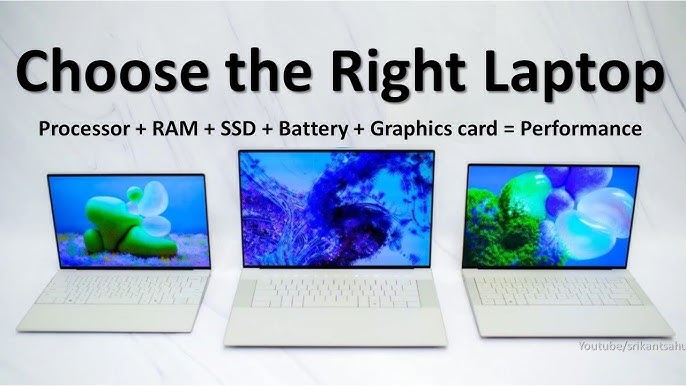
The Ultimate Guide to Choosing the Perfect Laptop for Your Professional and Academic Needs
In the modern professional and academic landscape, a laptop is not a luxury; it is the central command station for your productivity, creativity, and connectivity. The sheer volume of options available, however, can transform the purchasing process from an exciting prospect into a paralyzing maze of technical jargon and conflicting reviews. Choosing the wrong machine can lead to years of frustration, sluggish performance, and hampered efficiency.
Selecting the right laptop is not about finding the most powerful or the cheapest option. It is about identifying the tool that perfectly aligns with your specific workflow, ergonomic needs, and long-term goals. This comprehensive guide will demystify the process, moving beyond the spec sheet to provide a strategic framework for choosing a laptop that will become a seamless extension of your professional or academic ambitions.
Part 1: The Foundation – Defining Your Use Case and Persona
Before examining a single processor or screen size, you must conduct an honest audit of your needs. Laptops can be broadly categorized into user personas, each with distinct requirements.
Persona 1: The Academic Generalist (Student)
-
Primary Tasks: Note-taking, research, writing papers, creating presentations (Google Docs/MS Office), video lectures, and web browsing with multiple tabs.
-
Key Needs: Portability, all-day battery life, a comfortable keyboard, and a solid build quality to withstand life in a backpack. Performance needs are moderate.
Persona 2: The Corporate Warrior (Business Professional)
-
Primary Tasks: Heavy email management, complex spreadsheet analysis, video conferencing (Zoom/Teams), project management software, and extensive multitasking.
-
Key Needs: Professional aesthetics, a superb keyboard and trackpad, robust security features (like fingerprint readers), reliable performance, and a high-quality webcam and microphone.
Persona 3: The Creative Professional (Designer, Video Editor, Architect)
-
Primary Tasks: Running demanding software like Adobe Creative Suite (Photoshop, Premiere Pro, After Effects), AutoCAD, Blender, or high-end data analysis tools.
-
Key Needs: A top-tier processor, a powerful dedicated graphics card (GPU), a high-resolution, color-accurate display, ample RAM, and fast storage.
Persona 4: The Mobility-First Nomad (Frequent Traveler, Sales)
-
Primary Tasks: Communication, presentations on the go, light content creation, and cloud-based work.
-
Key Needs: Ultra-lightweight and compact form factor, exceptional battery life (12+ hours), and fast, reliable connectivity (5G/LTE options).
Part 2: The Core Components – A Strategic Breakdown of the Spec Sheet
Understanding the core components will empower you to make an informed decision, not just a guess.
2.1. The Brain: Central Processing Unit (CPU)
The CPU is the engine of your laptop, handling all computational tasks.
-
Intel Core Series:
-
Core i3: Sufficient for basic tasks (Persona 1). Avoid for heavy multitasking.
-
Core i5: The sweet spot for most users (Personas 1 & 2). Balances performance and battery life efficiently.
-
Core i7/i9: For power users and creatives (Persona 3). Essential for video editing, 3D rendering, and complex simulations.
-
-
AMD Ryzen Series:
-
Ryzen 3: Comparable to Core i3, good for entry-level tasks.
-
Ryzen 5: Highly competitive with Core i5, often offering superior integrated graphics performance.
-
Ryzen 7/9: Direct competitors to Core i7/i9, often excelling in multi-threaded workloads like rendering and coding.
-
Verdict: For most work and study, a modern Intel Core i5 or AMD Ryzen 5 is the ideal choice. Creatives should aim for an i7/Ryzen 7 or higher.
2.2. The Short-Term Memory: Random Access Memory (RAM)
RAM is your laptop’s workspace. More RAM allows you to have more applications and browser tabs open simultaneously without slowing down.
-
8GB: The absolute minimum for Windows 11/macOS. Suitable for the Academic Generalist with light multitasking. Not future-proof.
-
16GB: The highly recommended standard for 2024 and beyond. Perfect for the Corporate Warrior, heavier student workloads, and light creative work. Ensures smooth multitasking for years to come.
-
32GB and above: Reserved for the Creative Professional running virtual machines, editing high-resolution video, working with massive datasets, or 3D modeling.
Verdict: 16GB of RAM is the new sweet spot. Do not settle for 8GB if your budget allows for 16GB.
2.3. The Filing Cabinet: Storage (SSD)
Storage is where your operating system, applications, and files live. The type and speed are critical.
-
Type: Always choose an SSD (Solid State Drive). Avoid eMMC storage and traditional Hard Disk Drives (HDDs) as your primary drive. An SSD is the single biggest upgrade for perceived speed, making your laptop boot, launch apps, and open files in seconds.
-
Capacity:
-
256GB: The minimum. Fine for students and users who rely heavily on cloud storage.
-
512GB: The recommended starting point. Provides comfortable space for applications and a sizable local file library.
-
1TB and above: Essential for Creative Professionals storing large project files, video footage, and game libraries.
-
Verdict: Prioritize a 512GB SSD. It offers the best balance of cost and practical storage space for most users.
2.4. The Canvas: Display
You stare at the screen for hours; do not compromise here.
-
Size: 13-14″ for portability, 15-16″ for productivity and immersion.
-
Resolution:
-
Full HD (1920×1080): The standard. Perfectly sharp for screens up to 15.6″.
-
QHD (2560×1440) / 4K (3840×2160): Luxurious and incredibly sharp. Beneficial for creatives and those who appreciate extra screen real estate.
-
-
Panel Technology:
-
IPS: The most common. Offers great color and wide viewing angles. Look for this.
-
OLED: Superior contrast, true blacks, and vibrant colors. Excellent for media consumption and creative work but can be more expensive.
-
-
Brightness: Look for at least 300 nits for comfortable indoor use. 400+ nits is better for use near windows or outdoors.
Verdict: A 14-inch or 15.6-inch Full HD IPS display is an excellent choice for most. Creatives must prioritize color accuracy (look for 100% sRGB coverage) and may want a higher resolution.
Part 3: The Form Factor – Choosing Your Chassis
The physical design of the laptop dictates its portability and functionality.
-
Clamshell (Traditional Laptop): The standard. Offers the best performance per dollar and typically the best keyboards.
-
2-in-1 Convertible (Yoga-style): Features a hinge that allows the screen to flip 360 degrees to be used as a tablet. Excellent for students who want to take handwritten notes (with a stylus) or for casual media consumption.
-
Detachable (Tablet with Keyboard): Like a Microsoft Surface or iPad Pro. Ultimate portability but often comes with performance and connectivity compromises compared to a traditional clamshell.
Verdict: Choose a 2-in-1 if note-taking or tablet use is a priority. Otherwise, a traditional clamshell often offers better value and performance.
Part 4: The Ecosystem and Intangibles
Specs aren’t everything. The overall user experience is shaped by factors that don’t appear on a spec sheet.
-
Keyboard and Trackpad: If you type for hours, a comfortable, well-spaced keyboard with good key travel is non-negotiable. A precise, responsive trackpad (especially a Windows Precision trackpad) is equally important.
-
Battery Life: Manufacturers’ claims are often optimistic. Look for independent reviews. Aim for a real-world battery life that gets you through your typical work or school day (e.g., 8+ hours).
-
Ports and Connectivity: Do you need an HDMI port to connect to projectors? Multiple USB-A ports for peripherals? An SD card reader for a camera? A lack of ports will force you to carry a dongle, negating portability.
-
Build Quality: A metal (aluminum) chassis feels more premium and is generally more durable than plastic, but it often comes at a higher cost.
-
Operating System:
-
Windows 11: The most versatile, compatible with the widest range of software. The default for most business and gaming applications.
-
macOS (Apple): Known for its stability, clean interface, and seamless integration with the Apple ecosystem (iPhone, iPad, AirPods). A favorite among many creatives.
-
ChromeOS: Found on Chromebooks. Excellent for cloud-centric students (Persona 1) who live in a browser but limited for professional software that requires local installation.
-
Part 5: The Strategic Purchase – Bringing It All Together
-
Set Your Budget: Be realistic. A higher initial investment in the right specs (like more RAM or a larger SSD) will pay dividends in longevity and satisfaction.
-
Prioritize Your Non-Negotiables: Based on your persona, what are your top 3 must-haves? (e.g., Lightweight, 16GB RAM, great keyboard).
-
Create a Shortlist: Use your prioritized needs to filter options. Look at models from reputable brands like Dell (XPS, Latitude), Lenovo (ThinkPad, Yoga), Apple (MacBook Air/Pro), HP (Spectre, Envy), and Microsoft (Surface).
-
Read Real-World Reviews: Don’t just rely on marketing. Find in-depth reviews from trusted tech publications that test battery life, performance, and keyboard feel.
-
Consider Future-Proofing: Buying a laptop with slightly better specs than you need today (e.g., 16GB RAM instead of 8GB) can extend its usable life by several years.
The Perfect Fit
Choosing the right laptop is a strategic investment in your productivity and well-being. By starting with a clear understanding of your workflow, demystifying the core components, and prioritizing the human-centric features like keyboard comfort and battery life, you can cut through the marketing noise.
Remember, the best laptop is not the one with the highest score on a benchmark test; it is the one that disappears into the background, allowing you to work, create, and learn without friction or frustration. It is the reliable partner that empowers you to achieve your goals, from the lecture hall to the boardroom.